Boosters are the part of a casual puzzle game that is easiest to waste. They are handed out generously, they feel powerful, and most of them are spent on levels that would have been passed anyway. The value of a booster sits in a narrow band, and it is worth knowing where that band is.
Three kinds, three different jobs
Pre-level boosters
Chosen on the start screen before the first move: an extra move allowance, a stronger starting board, a special piece placed for you. These are committed whether you need them or not, which makes them the easiest to waste and the most useful on a level you have already failed twice.
In-level power-ups
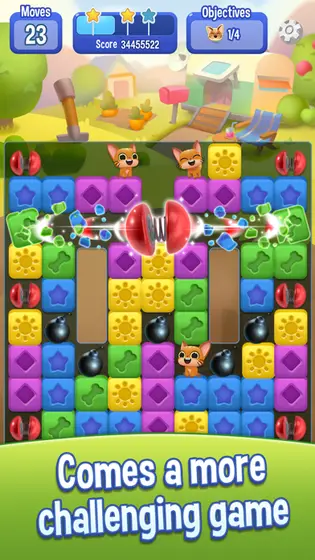
Built during play by matching more than the minimum, then triggered where you choose. These are the ones that reward patience, because their value depends entirely on where the board is when you fire them.
Reward items
Daily bonuses, event prizes, team gifts. They cost nothing but time and they expire in some titles, so the mistake here is hoarding rather than spending.

When a booster is actually worth it
The honest answer is: on the level where you are consistently finishing just short. If you are failing with the goal at eighty per cent complete, a five-move extension changes the outcome. If you are failing at thirty per cent, no booster will fix it and you are better off replaying and changing your opening.
Watch for the offer that appears the moment you run out of moves. It is presented at the point of maximum frustration, which is exactly when a spending decision is least considered. Nothing is lost by closing it, replaying the level and deciding on a calm screen.
Free ways these games hand out the same items
- Daily login sequences, which usually reset if a day is missed.
- Team or club membership, where members send each other lives and items.
- Timed events, which often pay in the same boosters sold in the shop.
- Level milestones and episode completions.
Across the titles we cover, a patient player receives most booster types free within a week or two of regular play. That is worth knowing before treating the shop as the only route.
If you do decide to buy
Both Australian stores put purchase controls in the same place. On Google Play, require authentication for every purchase in the Play Store settings; on the App Store, use Screen Time restrictions for in-app purchases. Family sharing settings also matter if children use the device, and purchases made on a shared account are still charged to the account holder. Our guide to reading a store listing covers where these fields appear before you install.
Practical takeaways
- Spend boosters on levels you are nearly passing, not on levels you are failing badly.
- Hold in-level power-ups until the board makes them count.
- Check the free sources first; most items arrive on their own.
- Turn on purchase authentication before, not after, a frustrating evening.
Store links go to the official listings. Prices, in-app purchases and availability are shown on the store page and can change at any time.